
Use your UptimeRobot or Better Stack data
to run a branded status page.
Turn your existing monitors into a customer-facing status page with themes, maintenance notices, and incident updates.
Its free to use, no credit card needed.
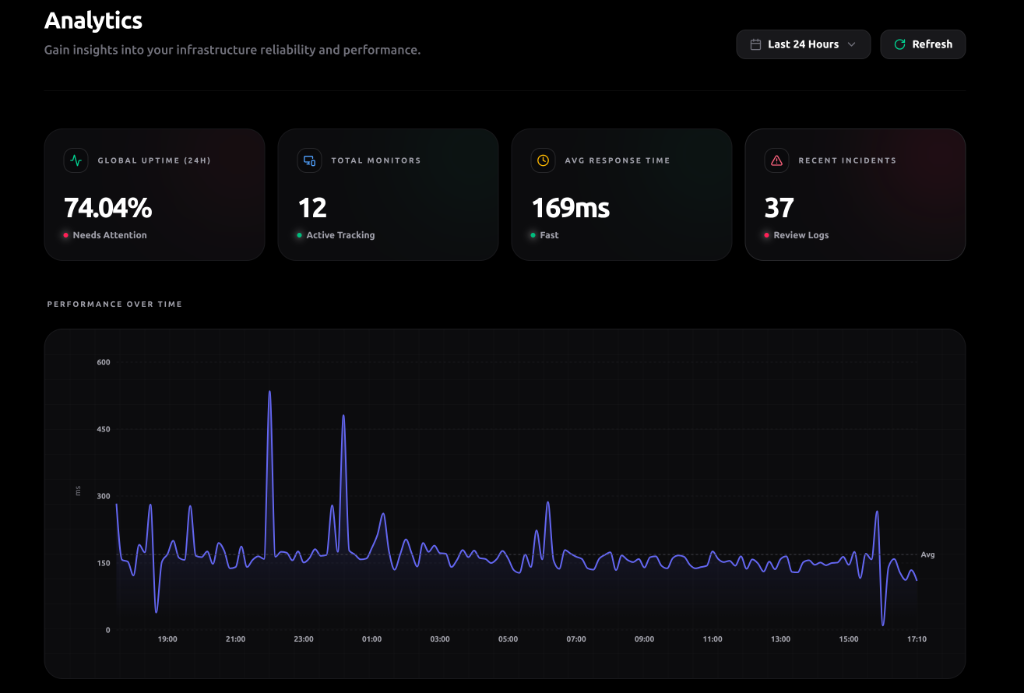
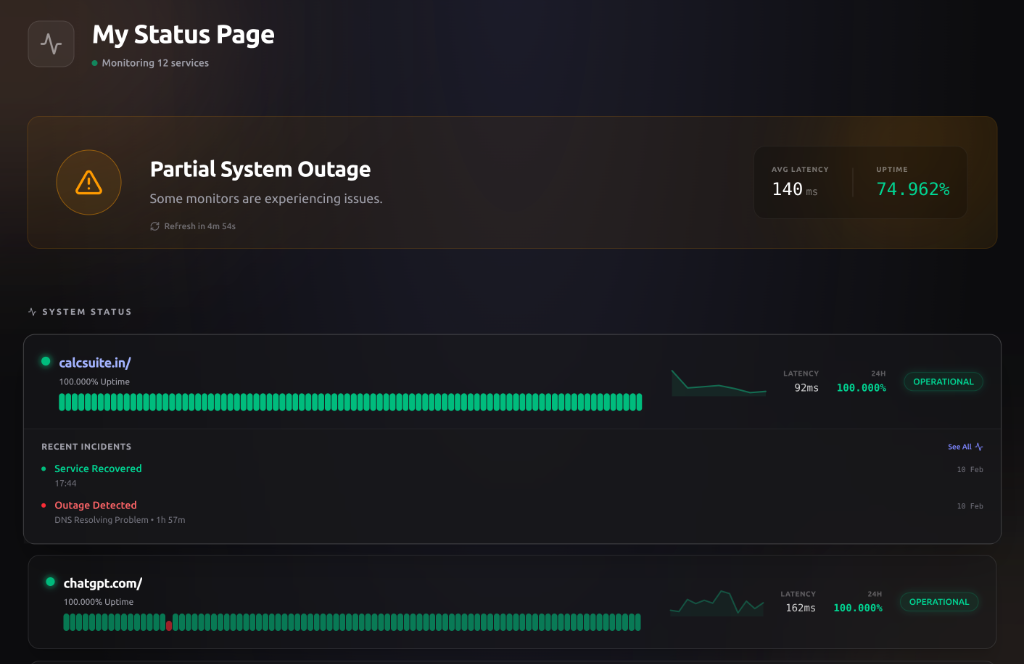
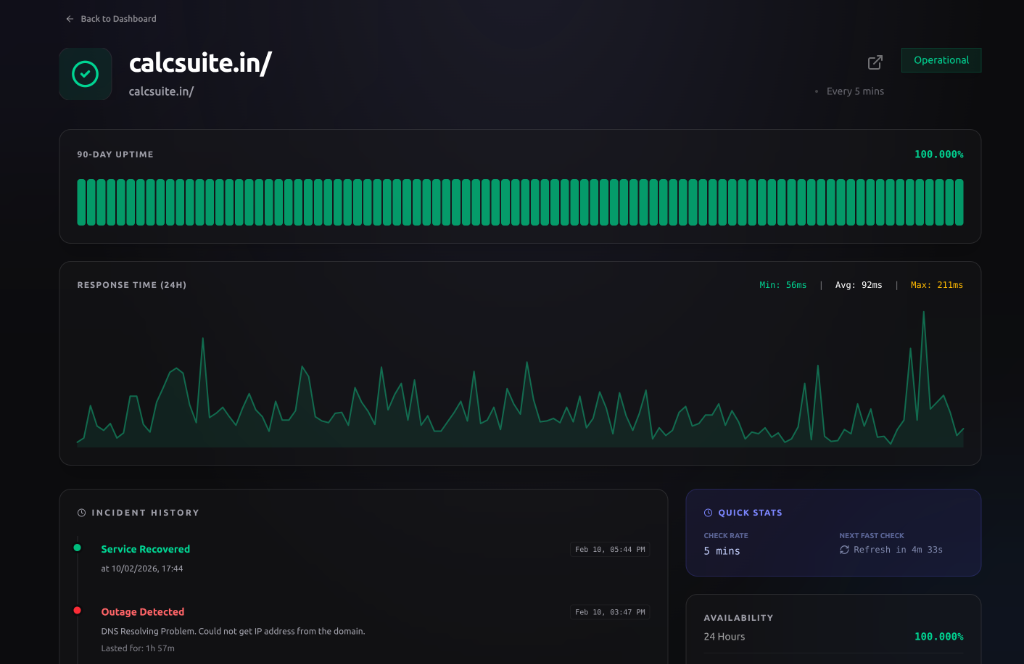
Say bye bye to native boring status pages.
System Status
All Systems Operational
Past Incidents
Feb 12, 2025
No incidents reported today.
Feb 11, 2025
No incidents reported today.
The status page your customers
expects from you.
Move from a generic uptime page to something that feels consistent with the rest of your product. Same data, better presentation, stronger trust.
All Systems Operational
The Problem
Your status page
should feel like
part of your product.
Most status pages do the bare minimum. They report incidents, but they don't reassure customers, reflect your brand, or help you look composed when things get messy.
How Statuscode Works
Keep your monitor provider. Replace the generic front end.
1. Connect Your Source
Paste your Better Stack or UptimeRobot API key and pull in the monitors you already use today.
2. Choose Vibe
Pick a visual direction that feels right for your product and audience.
3. Pick What Users See
Choose the monitors, support links, and update history your customers will see on the page.
4. Live Preview
See the page before you publish so you can adjust the experience, not just the data.
5. Deploy Anywhere
Publish on statuscode.in or point a branded subdomain like status.yours.com.
Built for the moments customers remember.
Monitoring helps your team react. Statuscode helps your users understand what is happening.
Branded Layouts
Launch a status page that looks like your company built it, not your monitoring vendor.
Live Data Sync
Your monitor data is pulled in real-time, keeping your status page always up to date.
Response Time Graphs
Visualize system performance with beautiful sparklines that show exactly how fast your services are responding.
Maintenance Scheduling
Plan and communicate upcoming maintenance windows so your users are never caught off guard.
Incident History
Attach updates to incident history so users can see exactly what happened and when.
Theme Presets
Choose from curated theme presets — Modern, Minimal, and Brutal — to match your brand identity in one click.
Private Status Pages
Restrict access with PIN protection so only your team or selected groups can view sensitive status pages.
Custom SEO & Meta
Set custom page titles, descriptions, and metadata to control how your status page appears in search results.
Global Reliability
Statuscode is built for high availability, ensuring your status page stays up even if your app goes down.
Mobile Optimized
A fully responsive status page that delivers a perfect viewing experience on any device.
Instant Previews
See your design changes in real-time before you publish, ensuring a flawless launch.
60-Second Setup
Connect your existing provider and be live with a stunning status page in less than a minute.
Choose the license that fits your rollout
Paid licenses for teams who want their status page to feel as considered as the rest of their product.
1 status page
$6/mo
Billed yearly ($48)
For solo founders and small products.
4 status pages
$19/mo
Billed yearly ($180)
For teams with multiple products.
10 status pages
$49/mo
Billed yearly ($468)
For agencies managing status pages for clients.
License = number of active status pages you can run. Each license is tied to one Statuscode account. Upgrades and downgrades are instant. This gives you natural expansion revenue as users grow.
Common Questions
Product, pricing, and rollout questions teams usually ask before they switch.
Ready to make your status page status-worthy?
If your product is polished, your status page should be too. Launch a branded status experience that feels consistent with the rest of your company.